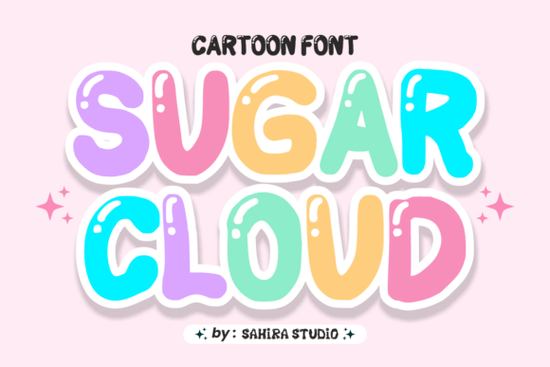
If you're looking for a font that instantly adds cheerfulness to your designs, Sugar Cloud Font is worth a closer look. With its ultra-chunky, balloon-like letterforms and soft pastel colors outlined in thick white, it captures the playful energy of childhood stickers or candy wrappers. Whether you’re designing kids’ apparel, social media graphics, or sweet-themed packaging, this color font brings a nostalgic, whimsical vibe that’s hard to replicate with standard typefaces.
What makes Sugar Cloud Font stand out?
Unlike typical display fonts, Sugar Cloud is a true color font meaning each character comes pre-filled with vibrant hues and outlines, ready to pop without extra styling. Its rounded terminals and smooth curves give it a friendly, approachable feel, while the dimensional effect created by the bold white stroke adds depth even at small sizes. This makes it especially useful for digital creators who want consistent, eye-catching results without layering multiple effects manually.
It’s also highly legible despite its chunky build, which is rare for bubble-style fonts. That balance of fun and function makes it ideal for:
- Kids’ clothing and accessories
- Birthday party invitations or decorations
- Mobile game UI elements
- Social media stickers and stories
- Packaging for desserts, ice cream, or gummy treats
How does it compare to other playful display fonts?
While many display fonts lean into retro or edgy aesthetics like the gritty texture of Death Subway or the athletic boldness of Classic Varsity Sugar Cloud occupies a uniquely sweet niche. It doesn’t mimic chalkboards, spray paint, or vintage jerseys. Instead, it channels the joy of vinyl decals and sugary snacks.
If you enjoy fonts with personality but need something softer than grunge or streetwear styles, Sugar Cloud pairs well with cleaner companions like Preppy Chic for contrast. And if you’re working on school-themed projects but want to avoid overly sporty looks, it’s a gentler alternative to College Jersey Black Grunge.
Who should use this font?
This font shines for creators whose work targets children, families, or anyone drawn to lighthearted design:
- Print-on-demand sellers can use it for mugs, onesies, or tote bags with phrases like “sweet tooth” or “hello sunshine.”
- Social media managers for bakeries, toy brands, or parenting accounts will find it perfect for quote graphics and story highlights.
- Indie game developers building casual mobile games (think match-3 or coloring apps) can integrate it into menus or reward screens.
- Crafters making SVG files for Cricut or Silhouette machines may appreciate how cleanly the outlines separate for cutting layers.
Just keep in mind: because it’s a color font, not all software supports embedded color data. Programs like Adobe Photoshop (with OpenType-SVG support), Affinity apps, and newer versions of Canva handle it well. For older software, you might receive flat-color or outline-only versions still usable, but without the full candy-coated effect.
Tips for using Sugar Cloud effectively
To get the most out of this font:
- Avoid overuse. One headline or focal phrase per design keeps it impactful without overwhelming the viewer.
- Pair it with simple sans-serifs. Clean fonts like Montserrat or Nunito let Sugar Cloud take center stage.
- Use plenty of white space. The thick outlines already create visual weight crowding it reduces readability.
- Test print output. If you’re using it for physical products, verify how the colors translate on different materials (e.g., fabric vs. paper).
And remember: while it’s undeniably cute, Sugar Cloud works best when your brand or project genuinely aligns with warmth, innocence, and joy. It’s not suited for corporate reports or minimalist branding but for anything that aims to smile back at the viewer, it’s a reliable choice.
Ready to try it?
If your next project calls for pure, unapologetic cheer, Sugar Cloud Font delivers exactly that with no extra effort needed. Just install, type, and watch your words puff up with personality.
Before you download, check this quick list:
- ✅ Confirm your design software supports color fonts (OpenType-SVG or COLR/CPAL)
- ✅ Review licensing terms if you plan to sell products commercially
- ✅ Pair it with neutral backgrounds to let the pastels shine
- ✅ Use sparingly its strength is in accent, not body text
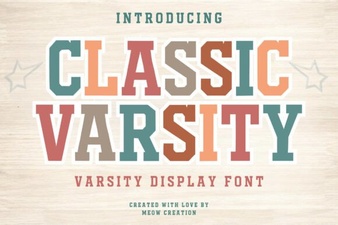 Classic Varsity Font Styles for Creative Projects
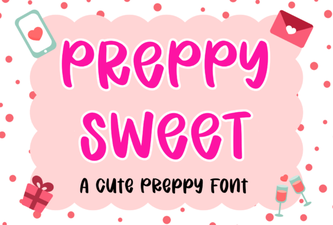 Preppy Fonts: Sweet & Creative Design Ideas
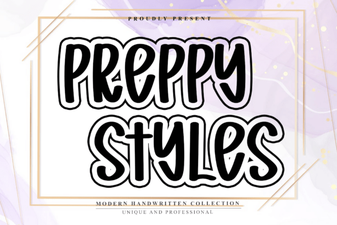 Clean Fonts for Modern Preppy Designs
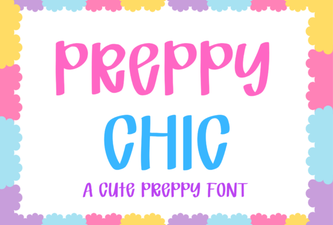 Elevate Your Designs with Preppy Chic Typography
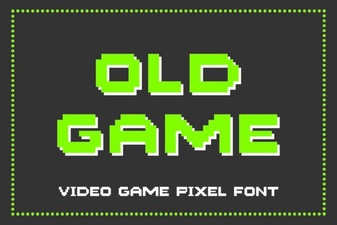 Reviving Retro Game Fonts for Modern Design
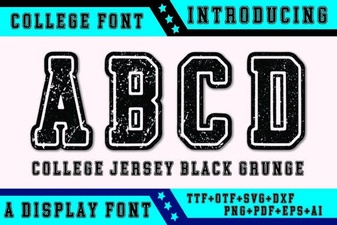 Black Grunge Fonts for Bold College Designs